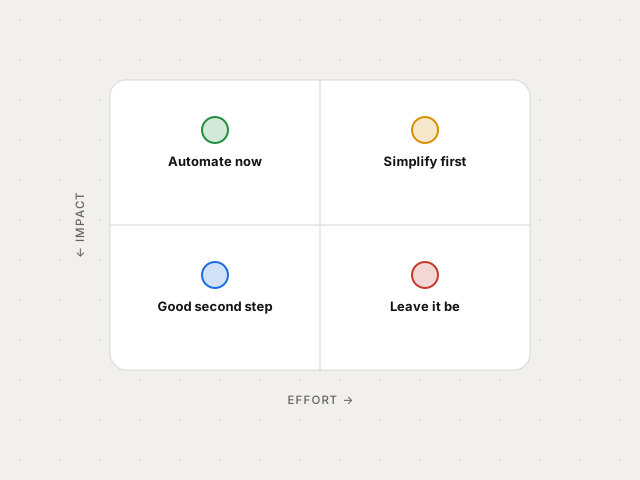
Which processes to automate first (and which not to)
A simple impact-and-effort rule to choose where to start without wasting budget.
Automation & AI for your business
A 15-minute task, three times a day, adds up to more than 16 hours a month. We design automations and AI agents that give you those hours back: we connect your tools, the repetitive work runs on its own and the result is measured in hours and in euros.
What is repetitive work costing you?
That is 276 h and 6,900 € a year of work that could run on its own.
Rough estimate over 46 working weeks. In the first meeting we ground it in your actual process.
We integrate, among others, n8n, Make, OpenAI, Claude, Google Workspace, HubSpot, Notion, Airtable, Shopify, Stripe, Slack, WhatsApp Business, Supabase and Gmail.
Projects
Every project starts with a specific bottleneck and ends with a flow that runs on its own, documented and in your own accounts. Model-case figures are estimates; the real ones are agreed before we start and measured afterwards.
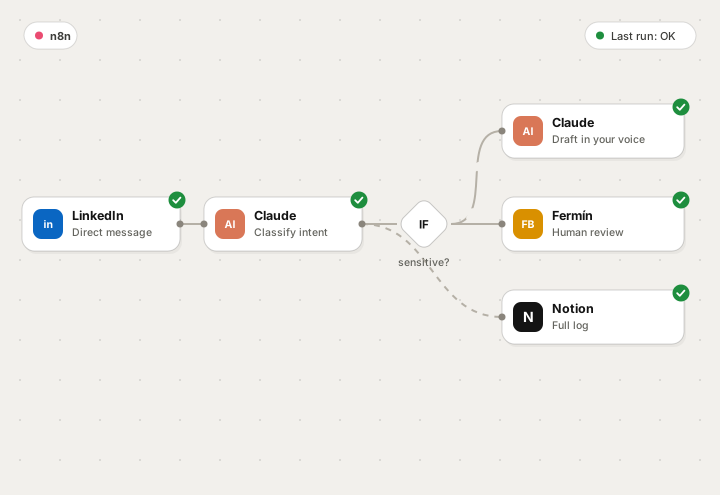
The system we use ourselves: messages are triaged and get a draft in Fermín's voice. Anything sensitive goes through a person.
Real case in daily use — we will show you live.
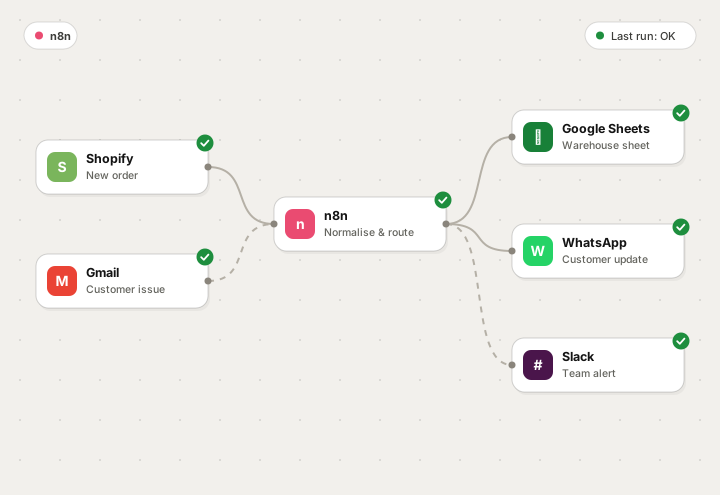
The team checked every order by hand across three different dashboards. Now orders, issues and customer notifications travel on their own between store, warehouse and support.
Model-case estimate — measured in your diagnosis.
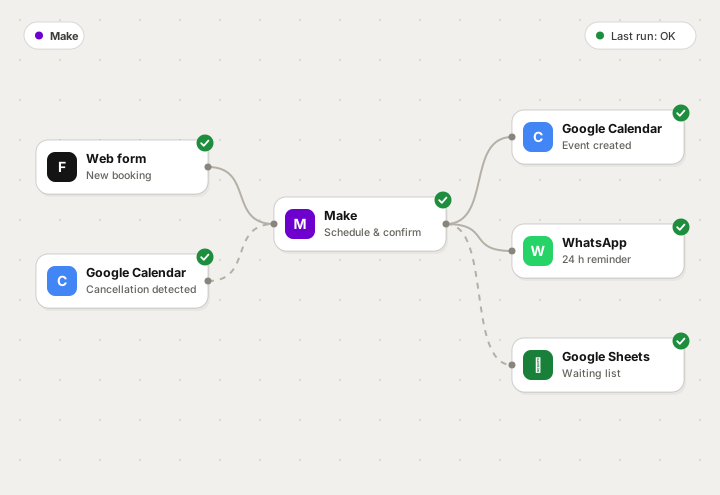
Bookings, confirmations and reminders via WhatsApp and email, with freed slots automatically reassigned when someone cancels.
Model-case estimate — measured in your diagnosis.
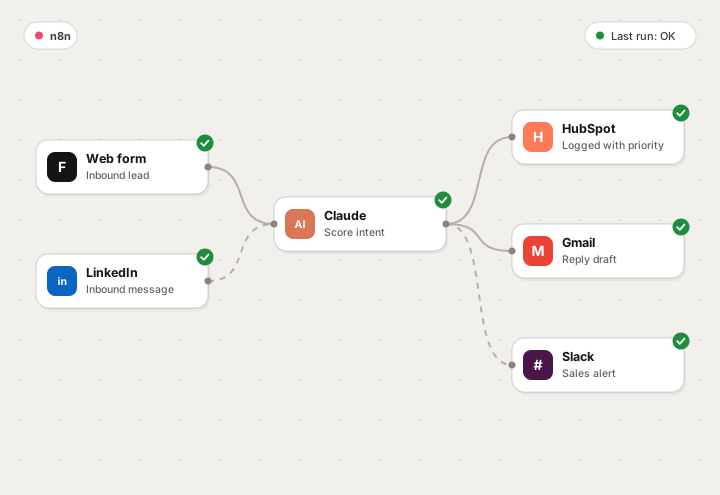
An AI agent qualifies every incoming contact, drafts the first reply and only passes conversations with real intent to the sales team.
Model-case estimate — measured in your diagnosis.
Services
We don't sell tools: we deliver working processes, with documentation, error handling and a person behind them who answers. Under each service, the numbers of a model case: what you recover, when it pays for itself and what it costs to maintain.
01
We identify the tasks your team repeats every week and turn them into flows that run on their own, with alerts whenever something needs a person.
20–40 h a month recovered3–6 months typical paybackfrom €90/mo maintenance
02
Agents connected to your data that classify, draft, summarize and reply inside a real process, with human review where it matters.
up to 70 % of messages pre-draftedminutes to reply, not hourshuman review included
03
A system that attracts, qualifies and follows up without anyone having to remember: from first touch to a meeting on the calendar.
100 % of leads get a reply<5 min to first contactCRM up to date without typing
04
We connect the tools you already use so they stop living on islands and your numbers come out on their own, without anyone typing them in.
0 data points typed twicefresh reports every morningcopy errors gone
Method
Every phase ends with something tangible in your hands. If the diagnosis shows that automating doesn't pay off, we tell you.
A working session to map your processes, measure how much time each one takes and prioritize by impact.
We define the flow step by step, what the machine decides and what a person decides, and what happens when something fails.
We set up the automation in your accounts, test it with real data and fine-tune it with you before letting it loose.
We train your team, watch the first cycles and adjust. Then, periodic reviews to widen the scope.
About
Synkorai was born from a simple idea: most businesses don't need more software, they need the software they already have to talk to each other.
We work from Spain, remotely, with businesses and professionals that have grown faster than their processes. We don't hand over a pretty diagram and disappear: we build the flow, leave it running in your accounts and stay until your team uses it without thinking.
We are straightforward about what automation and AI can do today — and about what they can't yet. If a process isn't worth automating, you'll hear it from us first.
Process and return first; then we decide whether it calls for n8n, Make, code or simply changing how it's done.
Flows, credentials and documentation live in your accounts. No hidden dependencies, no black boxes.
Before starting we agree on what gets measured: hours, errors, response time or meetings. It gets reviewed afterwards.
How we work together
We don't publish fixed rates because every operation is different. After the first meeting you receive a proposal with a fixed price, deliverables and deadlines.
For those who know they're losing time, but don't know exactly where.
To automate one or several specific processes with a fixed scope and price.
For teams that want to keep automating month after month, support included.
Results
Awaiting real data Replace testimonials and metrics with verifiable cases before publishing.
Resources
Short, no-hype guides on the decisions that stall companies the most when they start automating.
A simple impact-and-effort rule to choose where to start without wasting budget.
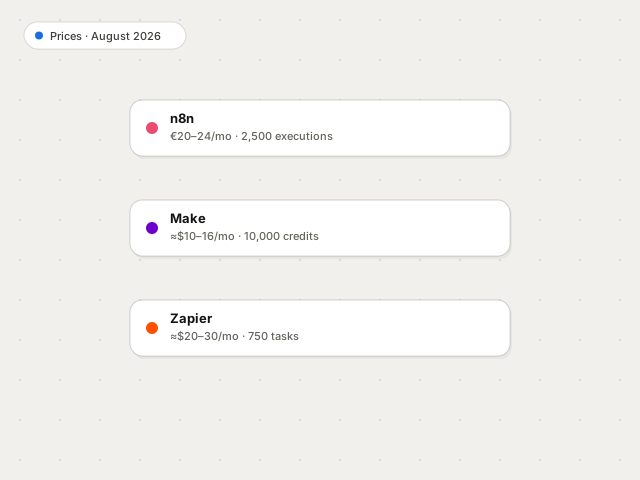
Cost, limits, error handling and data ownership. The four variables that really decide.
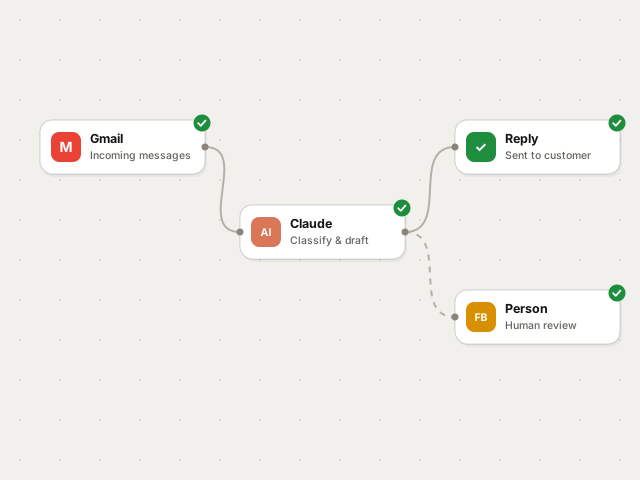
What to delegate to an agent, what should keep going through a person and how to avoid made-up answers.
Frequently asked questions
Can't find your question? Write to us at fermin@synkorai.com.
We use n8n and Make as the orchestration layer and connect the tools you already have: Google Workspace, CRMs, ecommerce, invoicing, databases and AI models. We won't force you to change your stack.
A diagnosis is delivered in days. A specific automation is usually in production two to three weeks after we validate the flow. Projects with several processes and AI agents are planned in phases.
No. We map the process with you in business language, translate it into a technical flow and hand over documentation and training so your team can run it without depending on anyone.
Every flow ships with error handling, retries and alerts. If something breaks, the flow notifies the team as soon as it's detected — usually before your customer notices — and it's logged so it can be reviewed and fixed.
Yes. Flows, credentials and documentation stay in your accounts and under your name. You can continue with us or take them to another team whenever you want.
By fixed scope: number of processes, integrations involved and volume. After the first meeting you receive a proposal with a fixed price, deliverables and deadlines, free of charge and with no commitment.
Contact
A 30-minute meeting, no strings attached. You'll leave it with a clear idea of what can be automated and what can't.
Half an hour with you is enough to know what could be automated this very week.
Book a meeting